• Link to Facebook
  • Link to X
  • Link to Instagram
  • Link to Youtube
  • Link to LinkedIn
  • Link to Mail
Synapse Trading
  • Home
  • About
    • My Background
    • My Trading Journey
    • My Travel Log
    • Media & Interviews
  • Mentoring
    • Trading Mastery Program
    • Results & Testimonials
  • Signals
    • Telegram (Free to join!)
    • Daily Trading Signals
    • Daily Trading Signals (Results)
  • Resources
    • Free Trading Guides
    • Tools & Resources
    • Blog & Infographics
  • Contact
    • Contact Us
    • Partnership Opportunities
  • Click to open the search input field Click to open the search input field Search
  • Menu Menu
Spencer Li

How to Open & Set Up an Interactive Brokers (IBKR) Account

Promotions, Tools & Resources
3080ede4d494b840ad3eab1e7f497c02db6e56e6
Join our Telegram channel for more market analysis & trading tips: t.me/synapsetrading

Before reading this guide, the first thing you will need to do is to open an Interactive Brokers (IBKR) account, before you can start trading.


How to Open an Interactive Brokers (IBKR) Account?

1.  Click on “Open Account” button on top right of the screen.

2. Click on “Start Application” to being.

Step 1 And 2 Open Account IBKR


3. You are required to create an account. Fill in the relevant details.

Step 3 Open Account IBKR


4. An account verification email will be sent to your email address upon creation of the account.Step 4 Open Account IBKR


5. Log into your email and click on the link from IBKR.

Step 5 Open Account IBKR


6. Log in to your IBKR account to begin the account opening.

Step 6 Open Account IBKR


7. Select accordingly. Use the image below for assistance.

Step 7 Open Account IBKR


8. If you are a Singaporean, you can log into your Singpass. (If you do not have Singpass, you will have to manually fill in all the required information at Step 10 and 11.)

Step 8 Open Account IBKR


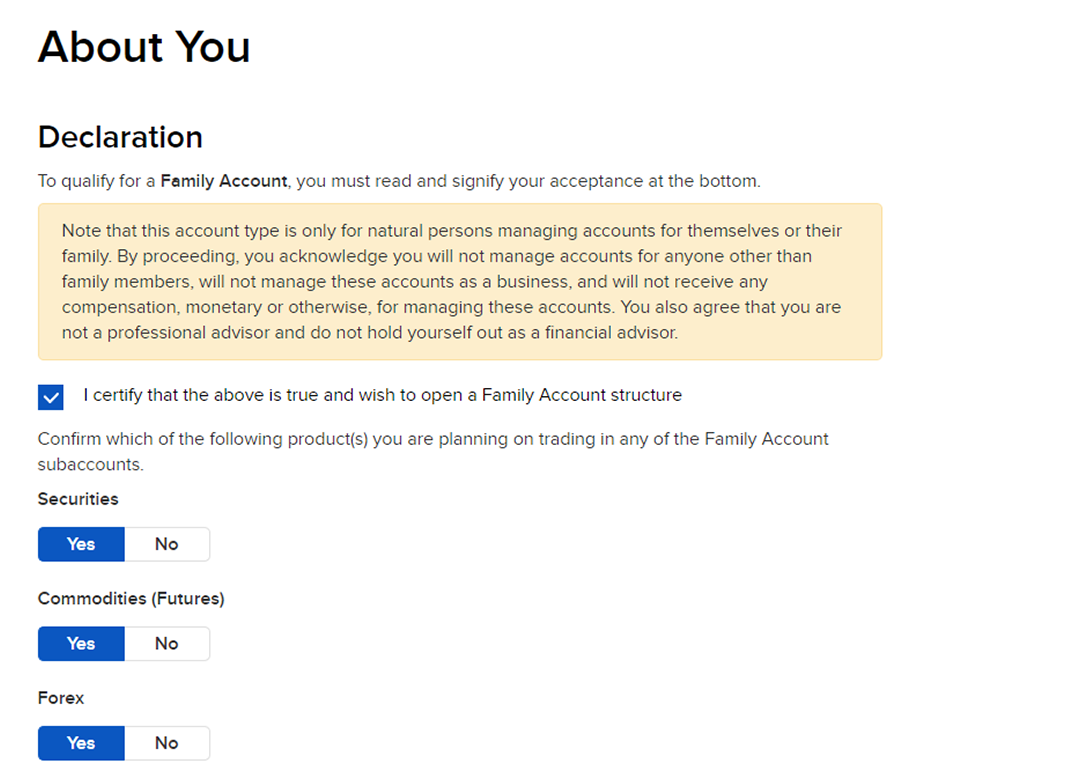
9. Select accordingly for your preferences. If you wish to dabble in stocks and bonds, choose “Securities”.
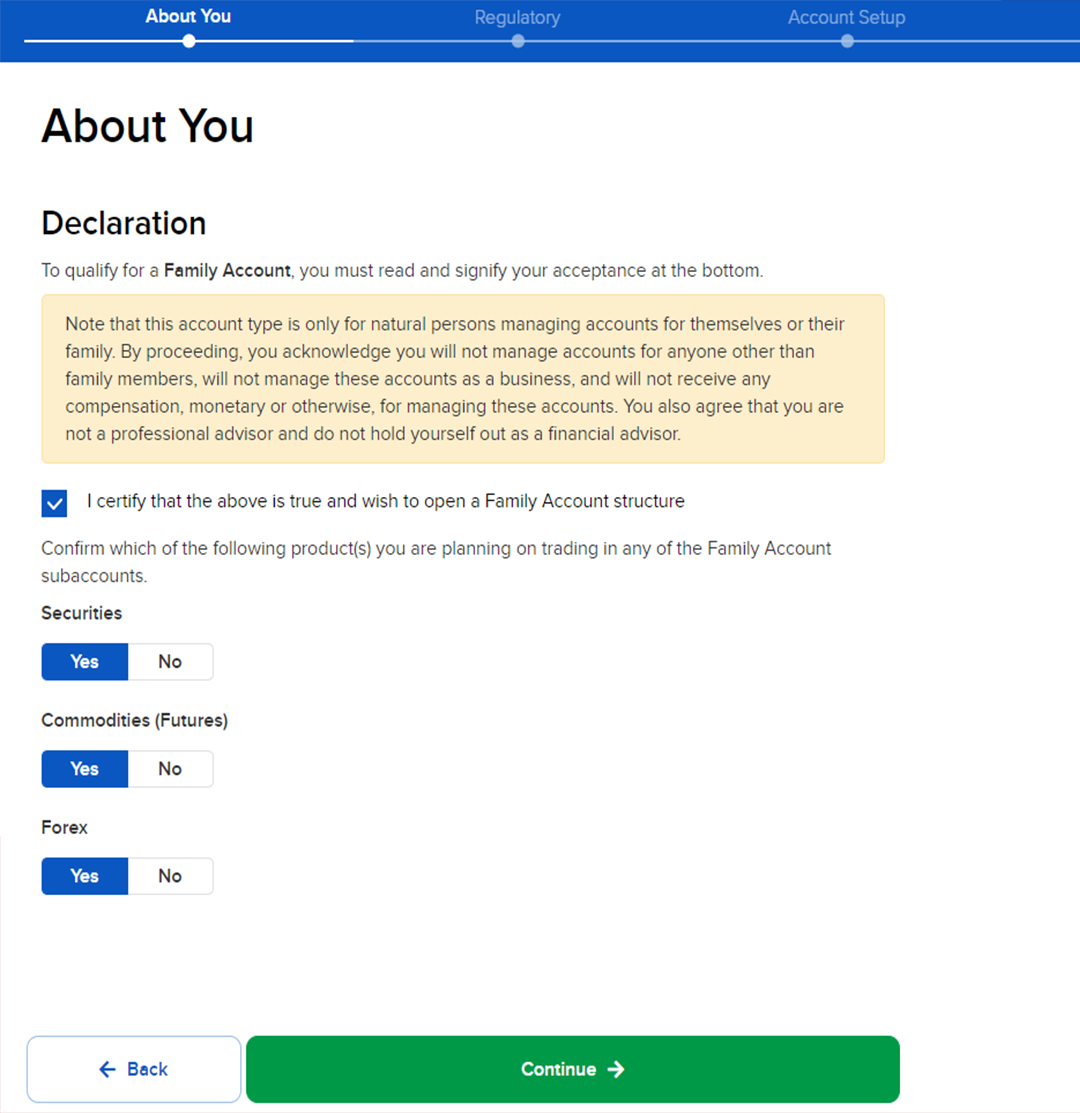
Step 9 Open Account IBKR


10. Fill in all the information.

Step 10 Open Account IBKR


11. Fill in all the information.

Step 11 Open Account IBKR


12. Key in your employment details.

Step 12 Open Account IBKR


13. Complete the “Source of Wealth” and the base currency. (You can change your base currency in the account settings after your account is approved.)

Step 13 Open Account IBKR E1669640908965


14. The 3 security questions are to protect your account if you ever lost your account password or for your verification in the future.
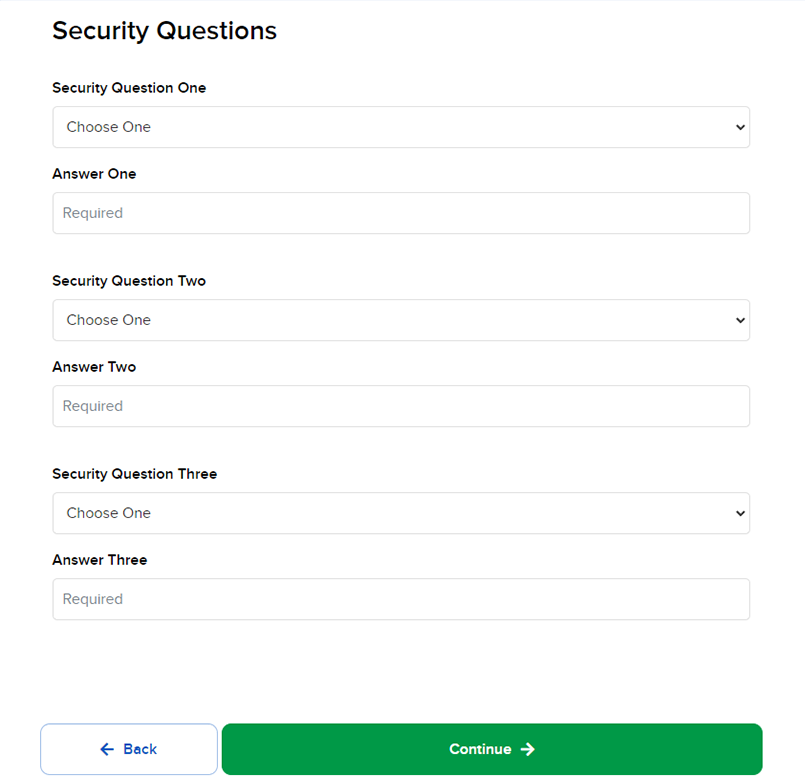
Step 14 Open Account IBKR


15. Confirm your mobile number (this step is optional)
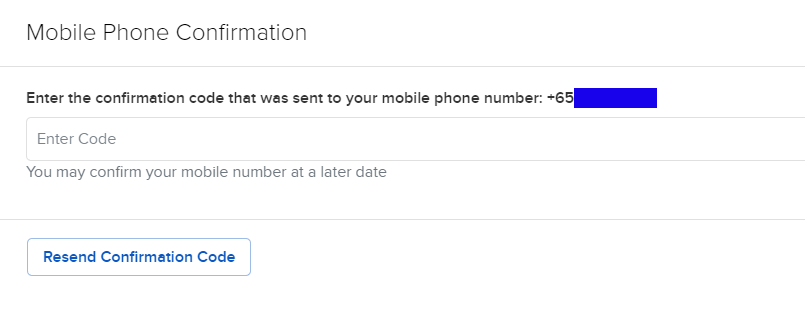
Step 15 Open Account IBKR


16. Select the relevant option that applies to you.

Step 16 Open Account IBKR


17. Fill up the relevant information. Take note of the investment experience that you will be declaring as some products will not be available to you if you declare that you have little to no experience.


Step 17 Open Account IBKR


18. Review your tax residence information. Once you have finalize it, sign and click “Continue”.

Step 18 Open Account IBKR E1669641197184


19. Review the complete information as what you have filled from the earlier steps. Once you have finalized, sign and click “Continue”. The application is then processed.

Step 18 Open Account IBKR E1669641197184


20. You will then proceed to upload and submit your relevant documents online to IBKR.


21. Wait for IBKR to approve your application. In the meantime, IBKR will request certain documents from you if they are missing or incomplete.


22. Once your account is approved, you will receive an email from IBKR. Congratulations!

Step 22 Open Account IBKR

If you found this guide useful, you might also want to check out our full list of guides for Interactive Brokers!
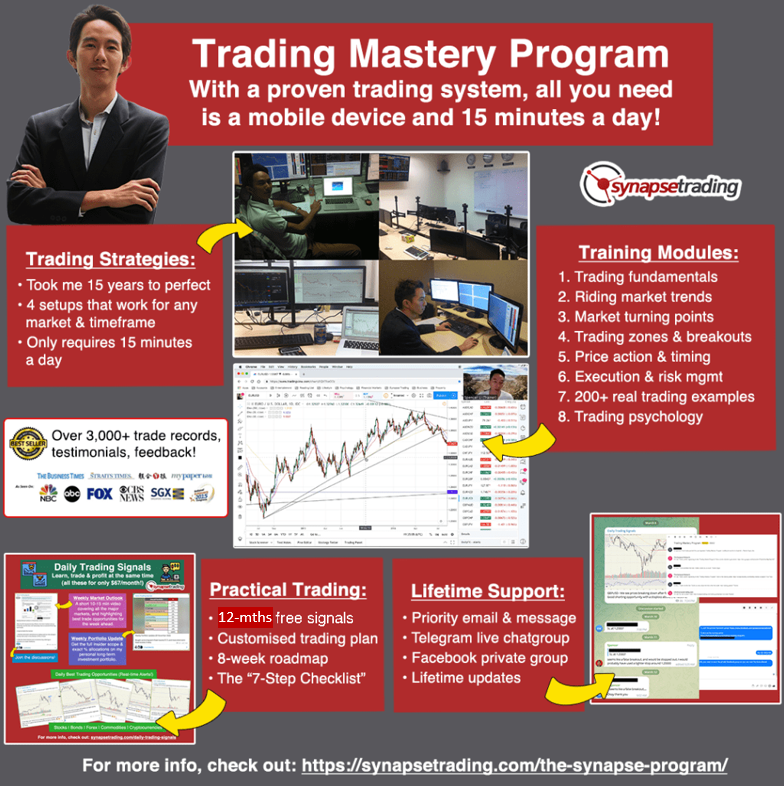


TMP Banner 010526 Our flagship mentoring program is suitable for both beginners and advanced traders, covering the 4 strategies which I used over the past 15 years to build up my 7-figure personal trading portfolio.
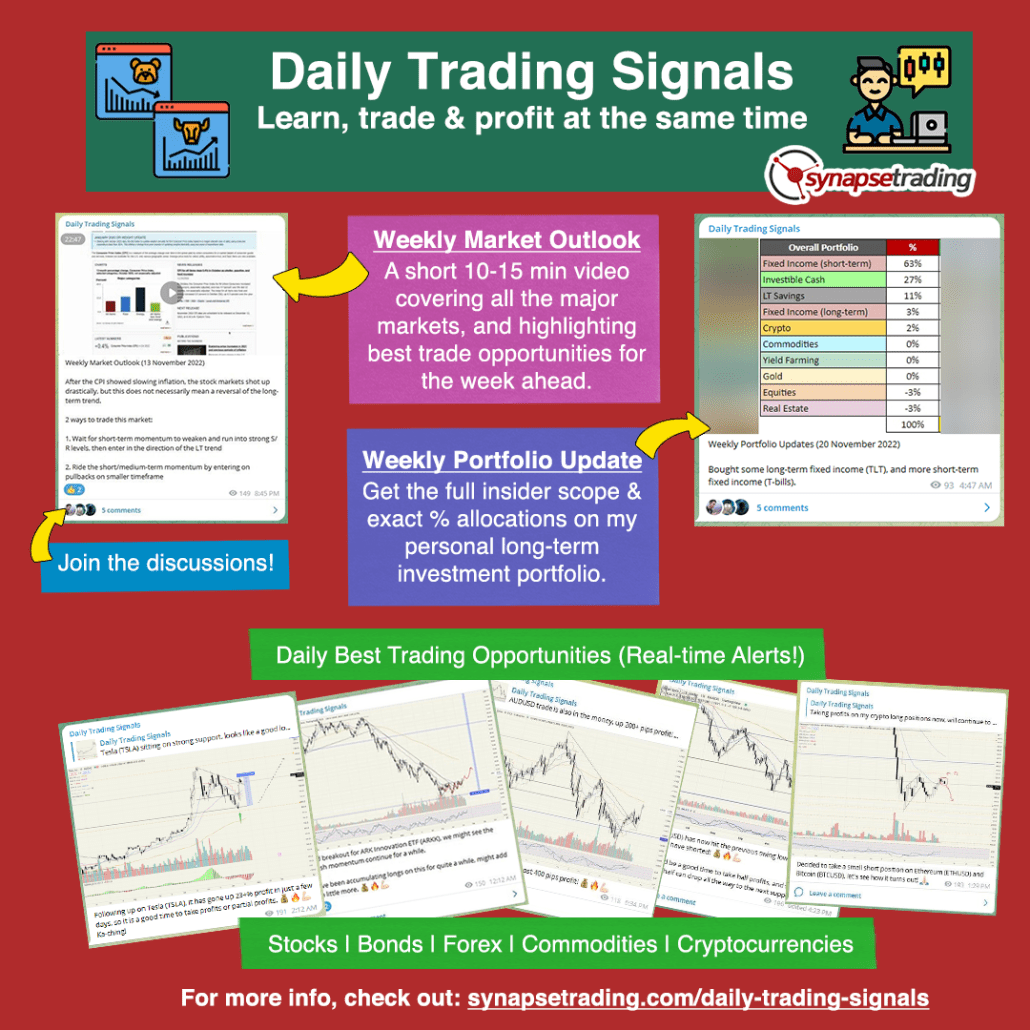
Daily Trading Signals Banner Updated If you're looking for the best trading opportunities every day across various markets, and don't want to spend hours doing the research yourself, check out our private Telegram channel!
0 Comments/by Spencer Li
Share this entry
  • Share on Facebook
  • Share on X
  • Share on WhatsApp
  • Share on Pinterest
  • Share on LinkedIn
  • Share on Tumblr
  • Share on Vk
  • Share on Reddit
  • Share by Mail
  • Visit us on Yelp
  • Link to Instagram
  • Link to Youtube
https://synapsetrading.com/wp-content/uploads/2019/10/logo.jpg 0 0 Spencer Li https://synapsetrading.com/wp-content/uploads/2019/10/logo.jpg Spencer Li2022-11-29 04:31:382023-05-03 23:35:07How to Open & Set Up an Interactive Brokers (IBKR) Account
You might also like
E88ec2b2da60eb8898d10355f382e52b1fff05be
How Place Trades (Buy & Sell) on Interactive Brokers (IBKR)
5c73c9a6a83bbc8c6e69db498a1870a55e166c75
Interactive Brokers: Earn Up to 4.33% on Your Uninvested Cash Holdings
19b435be557a240d464ffdcbe328b7f079564328
How to Buy US T-Bills (USD) on Interactive Brokers (IBKR)
8e8ff02b6eb60abcab54b216f28c2279ea925063
Interactive Brokers: One of the Lowest Margin Fees
Step 6 Open Account IBKR
The Beginner’s Guide to Using Interactive Brokers (IBKR)
044a7aff1712f1f0a5faeb9469cef0c327b4b72b
How to Deposit and Withdraw Funds in Interactive Brokers (IBKR)
0 replies

Leave a Reply

Want to join the discussion?
Feel free to contribute!

Leave a Reply Cancel reply

Your email address will not be published. Required fields are marked *

Free Trading Guides

Free Trading Guides

Blog Categories

  • Beginner's Guide
  • Blockchain & Crypto
  • Book Summaries
  • Candlestick Patterns
  • Economics & News Trading
  • Investing & Portfolio Management
  • Living Your Best Life
  • Market Analysis
  • News & Events
  • Price Chart Patterns
  • Promotions
  • Risk & Money Management
  • Stock Trading
  • Testimonials
  • Tools & Resources
  • Trading Psychology
  • Trading Strategies
  • Trading Tips
  • Travel & Lifestyle

Free Trading Guides

Free Trading Guides

Contact Us

Synapse Trading Pte Ltd
Registration No. 201316168H

Whatsapp: +65-8897-1204
Telegram: @iamrecneps
Email: info@synapsetrading.com

Links

Disclaimer
Privacy policy
Terms & Conditions
Contact us
Partnerships

© 2012-2024 Synapse Trading | All rights reserved | - powered by Enfold WordPress Theme
  • Link to Facebook
  • Link to X
  • Link to Instagram
  • Link to Youtube
  • Link to LinkedIn
  • Link to Mail
Link to: The Beginner’s Guide to Using Interactive Brokers (IBKR) Link to: The Beginner’s Guide to Using Interactive Brokers (IBKR) The Beginner’s Guide to Using Interactive Brokers (IBKR)
Step 6 Open Account IBKR
Link to: How to Deposit and Withdraw Funds in Interactive Brokers (IBKR) Link to: How to Deposit and Withdraw Funds in Interactive Brokers (IBKR)
044a7aff1712f1f0a5faeb9469cef0c327b4b72b
How to Deposit and Withdraw Funds in Interactive Brokers (IBKR)
Scroll to top Scroll to top Scroll to top