

How to Use Forex Factory Free Trading Tools
Want the daily routine? Get the free 15-Minute Swing Trader’s Checklist. Get it free →
Forex Factory is one of the few websites that provides high-quality, reliable information for traders for free. It’s a valuable resource for both beginners and experts in forex trading. As you learn to trade, the costs associated with trading can eventually add up, so it’s important to take advantage of free tools to trade more effectively. Forex Factory offers several tools that can significantly enhance your trading strategy without any cost.
Free Forex Factory Tools
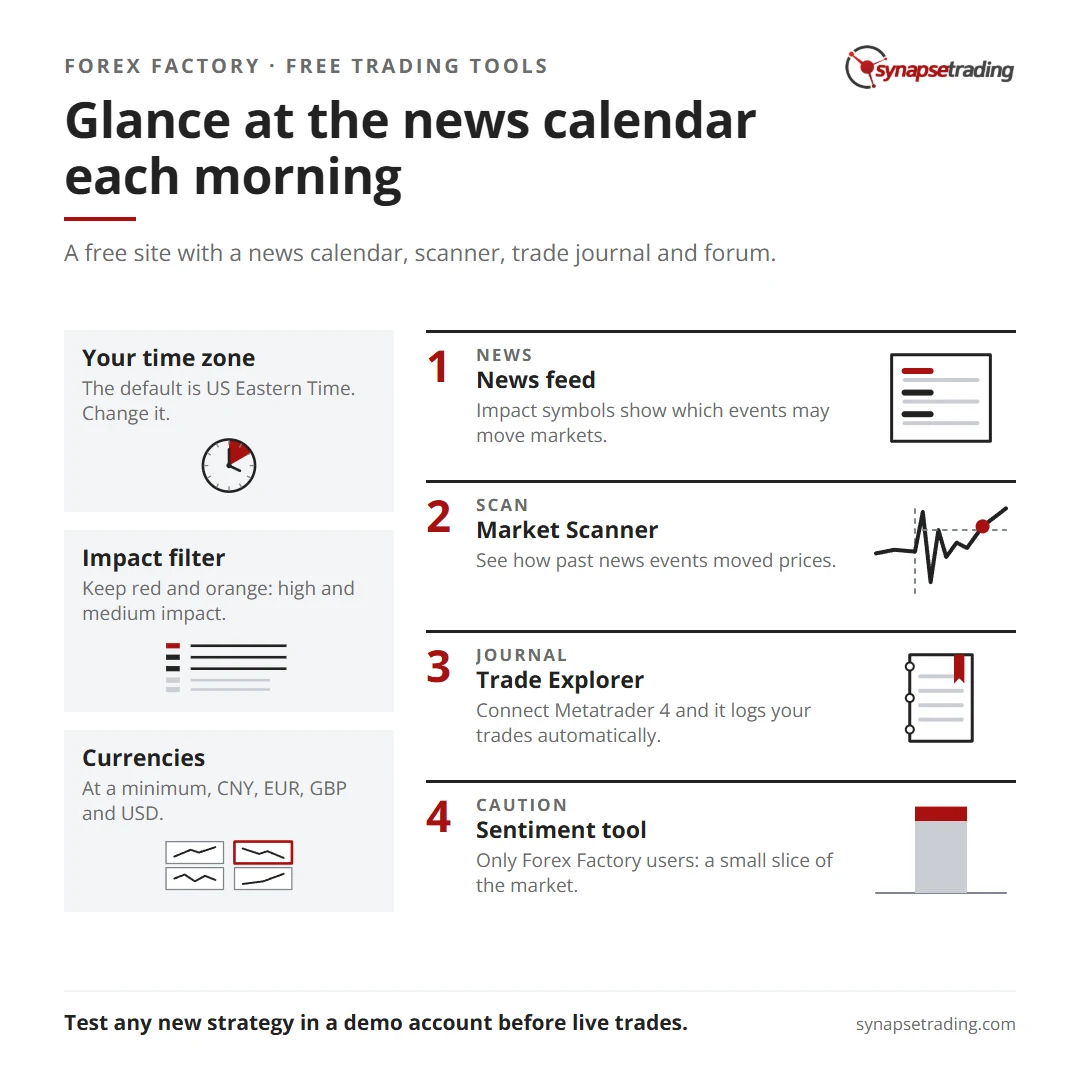
Forex Factory provides the following tools for free:
Economic Calendar
Forex News with Impact Indicators
Explorer – Record Your Own Results
Forex Market Scanner
Forex Factory Forum
These tools can help you quickly analyze the market’s bigger picture with just a few minutes of daily work. Below, we’ll guide you on how to use these tools effectively.
Forex Factory Calendar – How To Set It Up
The Forex Factory News Calendar is a fantastic resource because it’s simple yet incredibly informative. The goal for any trader is to be able to digest the data quickly and log it to memory in seconds, which is easily achievable with this tool.
The calendar covers:
The Date & Time: When the data is released.
The Currency Affected: The currency impacted by the announcement.
Impact Indicator: How much impact the event could have on the market.
Event Name: The specific economic event.
In-Depth Details: What the data means, its impact, and the source of the data.
Actual Result, Forecast, and Previous Release: A comparison of the actual data with the forecast and previous release.
Historical Data Graphs: Graphs that allow you to generate trends from the data.
As a quick reference:
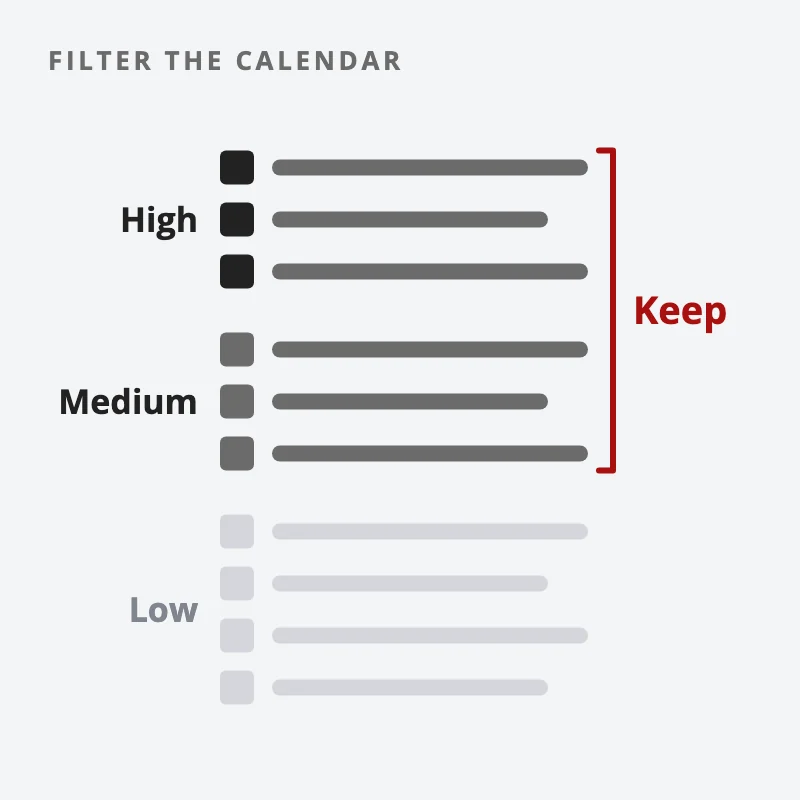
Red: High Impact – Major News Event
Orange: Medium Impact News Event
Yellow: Low Impact News Event
The Forex Factory calendar updates automatically, usually within seconds of the official data release, making it great for major news events.
However, there are two downsides to using the Forex Factory calendar in its default state:
Potentially the Wrong Time Zone: The default is based on Eastern Time US.
Shows All Data Points by Default: This can be overwhelming if not filtered.
These issues can be resolved and personalized to your needs in seconds.
How to Personalize the Forex Factory Calendar:
Change the Time to Your Time Zone:
Click the time at the top right corner of the website (no need to log in). This will allow you to set your time zone. Once changed, the new time zone will reflect on the calendar immediately.
Adjust the Data View:
Choose whether you want to see the data day by day or in a weekly view. Because we filter out the data in the next section, we keep this at a weekly view.
Filtering the Data:
Select the Impact Levels: Choose the red and orange impact events because these can cause significant volatility during your trading day.
Select Currencies: At a minimum, select CNY, EUR, GBP, and USD. The rest are optional depending on what you trade (e.g., if you trade JPY crosses, include JPY news events).
Apply the Filters: Click apply, and you’ll have a more concise, personalized news calendar.
With this tool in place, you can quickly glance at the calendar each morning to see what news has been released, what data will be released today, and what to look out for during your session. This single tool can improve your knowledge and help you avoid bad timings, so we recommend you give it a try.
You can view the tool here.
How To Use The News Feature
Now that you’re familiar with the Forex Factory calendar, you can use it in conjunction with the market tool to read the markets going forward and understand market behaviors surrounding data releases.
Forex Factory also provides a great news stream that shows the impact a major news event may have on the markets.
Reading the News Event Features:
The Forex Factory News section is updated in real-time. If a news event has a symbol (red, orange, or yellow), it indicates that the event may have an impact on the markets. The symbols are consistent with the Forex news calendar, so you will know what they mean instantly.
By glancing at the News tool, you can quickly deduce potential effects on the markets, allowing you to focus only on impactful news events that could help or hinder your activities.
Staying on top of news and data flow as a trader is important. Ignorance is not bliss when it comes to forex trading. Missing out on high-impact news that has just been reported could result in losses if the market suddenly moves against your position.
No matter what time frame you choose to trade in, whether it is the daily time frame or the 1-minute chart, you should always check the forex news calendar frequently.
You can view the news section here.
How To Use The Market Scanner Tool
The Market Scanner tool on Forex Factory allows you to see how past news events have impacted market prices. This can give you insights into market behavior and help you anticipate future moves.
Using the Market Scanner:
Visualize Price Action: The Market Scanner shows how an asset like EUR/USD reacted to past news events. This can help you predict how similar future events might influence the market.
Gauge Market Reactions: By reviewing past data, you can better understand how the market responds to certain types of news, which can give you an edge in your trading.
Although you are looking at past data, this tool can help you gauge how market participants are reacting to certain data releases, which can provide an advantage in future trading.
You can view the Market Scanner here.
How To Record Your Own Trading Journal Using The Trade Explorer
Keeping a trading journal is crucial for tracking your performance and improving your strategy. Forex Factory’s Trade Explorer tool allows you to automatically log your trades and analyze your trading history.
Benefits of Using a Trading Journal:
Track Mistakes: Documenting your trades helps you identify patterns that lead to losses, allowing you to avoid them in the future.
Become Accountable: A journal keeps you disciplined and helps you monitor your progress over time.
Identify Successful Patterns: By recognizing what works well, you can replicate your successes.
Enhance Learning Opportunities: Reflecting on your trades helps solidify successful strategies and discard ineffective ones.
Setting Up the Trade Explorer:
Create an Account: Register for free on Forex Factory to start your trading journal.
Automate Data Tracking: Connect your Metatrader 4 account to the Trade Explorer, and it will automatically track your trades and generate performance insights.
With this tool, you can focus on trading while the system automatically records and analyzes your performance, making it easier to spot areas for improvement.
Forex Factory Forum – A Huge Trading Resource For Free
The Forex Factory Forum is one of the largest and most active forex trading communities online, with over 500,000 members discussing strategies, sharing tips, and providing feedback.
How to Use the Forum:
Learn from Others: Engage with other traders to learn new strategies or get advice on your current approach.
Share Your Experiences: By discussing your trades, you may receive valuable feedback that can help you improve.
Save Valuable Information: If you find a thread or strategy particularly useful, you can download it as a PDF for future reference.
The forum is an invaluable resource for learning and connecting with other traders. However, always test any new strategies in a demo account before applying them to live trades.
Market Sentiment Tool (Free) – A Word of Caution
Forex Factory’s Market Sentiment tool shows the percentage of traders who are long or short on a particular asset. However, this data reflects only the users of Forex Factory’s Explorer tool, a small slice of the market.
Recommendation:
Use this tool with caution. While it can provide insights into trader sentiment, it should not be relied upon solely for trading decisions.
Concluding Thoughts
Forex Factory offers a suite of powerful, free tools that can significantly enhance your trading strategy. From the Economic Calendar and Market News to the Market Scanner and Trade Explorer, these resources offer valuable insights that can help you stay informed and make strategic decisions. Use these tools alongside your analysis and test any new strategies in a demo account before applying them to live trades. With careful use, Forex Factory’s tools can help you become a more confident and successful trader.
Want the daily routine? Enter your email for the free 15-Minute Swing Trader's Checklist.
Free 5-page PDF, then occasional trading emails. Education only, not financial advice. Unsubscribe anytime. Kit stores your email in the US: see our privacy policy.
Want to learn the full method? The Trading Mastery Program teaches the 4 strategies I have traded since 2011. It suits beginners and experienced traders.
Rather follow the trades as they happen? Daily Trading Signals is our Telegram channel: my trade ideas with entry, stop and exit, and every trade is public.
Questions about this post? Ask in the free Telegram channel →
Educational content only, not personalised financial advice. Trading carries risk, including loss of capital. Past performance is not indicative of future results. Synapse Trading is not licensed or regulated by MAS.


I’m new here I need a mentor